All postsLONG-FORM7 min read
Can a 128 GB Mac Run DeepSeek's 233 GB Model? I Tried Anyway
I ran Qwen3.8 and DeepSeek on the 128 GB MacBook Pro I work on every day, against Claude, on three jobs from my Shorts pipeline. The 233 GB DeepSeek build ran at 0.42 tokens a second. Here are the prompts, the numbers and what I'd actually use.
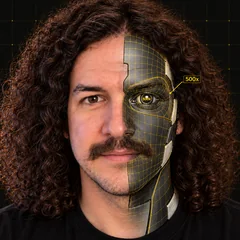
DeepSeek V4.1 Flash needs at least 233 GB at its smallest build. My MacBook Pro has 128 GB. So I tried anyway, on the Mac I work on every day, with Docker, three Claude sessions and Chrome open. I gave local models three jobs from my own Shorts pipeline (write a script, fact-check a script, fix a bug), ran Claude on the same jobs, and had the scripts judged blind.
What 128 GB buys
The Mac is a MacBook Pro with an M5 Max and 128 GB of unified memory, shared by the processor and the graphics chip. Apple lists the 40-core M5 Max at 614 GB/s of memory bandwidth.
A model has to sit in memory to answer, and every token it writes means reading its active weights once. So speed has a ceiling: bandwidth divided by the bytes read per token. Qwen3.8-27B at 4 bits is about 16 GB, which predicts a ceiling near 38 tokens a second. At 8 bits the file is 29.5 GB and the ceiling drops to about 21.
The file sizes I worked with: Qwen3.8-27B, 16 GB. Qwen3.8 Flash-Next, 94 GB. DeepSeek V4 Flash from July, 91 GB at 2 bits. DeepSeek V4.1 Flash (released in September, updated in October), 233 GB at its smallest build, almost twice this Mac's memory. None of these models are new this week; they came out between August and October.
The test bench
Same prompts, same settings (temperature 0.7, top_p 0.8, top_k 20), the median of three timed runs, and a unique run id in front of every prompt so a cached prompt could not fake the reading speed. Runners: LM Studio (its MLX engine and its llama.cpp engine) and Ollama. Claude ran the same jobs on my flat plan.
This is my working Mac, so conditions were messy on purpose. Before the first test it already had 28 to 37 GB of swap in use. Every number below says whether it ran with the Mac quiet or under my normal working load.
Results
| Model and build | Size | Result |
|---|---|---|
| Qwen3.8-27B, MLX 4-bit | 16.1 GB | 30 tokens/s quiet; 14-17 under working load |
| Qwen3.8-27B, MLX 8-bit | 29.5 GB | 16.6 tokens/s quiet |
| Qwen3.8-27B, GGUF Q4_K_M (llama.cpp) | 16.5 GB | 33-50 tokens/s quiet, depending on the job |
| Qwen3.8-27B in Ollama | 18 GB | 18-25 tokens/s; about 30 s to start answering a 6,000-token article (11-14 s in LM Studio; the Mac was busier during this run) |
| Qwen3.8 Flash-Next, IQ4_XS | 93.7 GB | Working load: loaded in 105 s, no first word after 4+ minutes, stopped by my 70 GB swap limit |
| Qwen3.8 Flash-Next, MLX 4-bit | 111.5 GB | LM Studio refused to load it (guardrail left on) |
| DeepSeek V4 Flash 0731, IQ2_XXS | 90.9 GB | Working load: 3-5 tokens/s, stopped when swap passed 70 GB |
| DeepSeek V4.1 Flash, IQ1_S | 233.0 GB | Working load: LM Studio refused; llama.cpp server, GPU off, memory-mapped: ready in 77 s, 23 tokens at 0.42 tokens/s |
Two more findings from the 27B model. With thinking mode on (Qwen's default), it spent 8,000 tokens, about five minutes, checking its own word count on the script job and never wrote the script. With thinking off, it finished in under 20 seconds. And the eight-bit build landed at about 80% of its predicted ceiling, the same as the four-bit build, so the arithmetic held up.
The 233 GB attempt
The model file lives on the SSD, the pantry. To run fast, the weights must sit in memory, the counter, within arm's reach. I measured this SSD at 4.7 GB/s for sequential reads, against 614 GB/s for memory, so a word that needs a trip to the pantry is over a hundred times slower. A mixture-of-experts model helps, because each word needs only a slice of the pantry.
LM Studio refused to load the 233 GB build, estimating about 229 GB. So I ran the llama.cpp server bundled with LM Studio directly, with the graphics chip off, and let the file page in from the SSD. It was ready in 77 seconds. I asked for one sentence about Mondays and had a correct, grammatical answer 65 seconds later: 23 tokens at 0.42 tokens a second. It read the prompt at 0.75 tokens a second, so a 6,000-token article would take about 2 hours 13 minutes (arithmetic, not run). Swap did not climb; the SSD was doing the work.
So the biggest DeepSeek runs on a 128 GB Mac. It just cannot do a day's work.
The blind test
Five scripts for the same job: two Claude models and three builds of Qwen3.8-27B. A different company's AI (Codex, running GPT) scored them blind on hook, accuracy, clarity, rules and ship-readiness, out of 50. One job and one sample each, so treat this as a snapshot.
| Script | Score |
|---|---|
| Claude Sonnet 5.5 | 45 |
| Claude Opus 5.5 | 44 |
| Qwen3.8-27B GGUF Q4_K_M | 38 |
| Qwen3.8-27B MLX 4-bit | 35 |
| Qwen3.8-27B MLX 8-bit | 27 |
With one sample each, the order among the Qwen builds is noise. Both Claude models still scored above every local build. The local scripts overstated the risk and gave advice the source didn't support; the cloud scripts had fewer of these problems.
On the fact-check job, a grader read every run: every model, local and cloud, caught all three planted errors, with one to four false alarms per run. On the bug fix, every model passed.
What I would run
For fixing a bug, checking facts against a source or summarizing a document, Qwen3.8-27B at 4 bits is good enough, with a person reading the answer. For a script I ship, I use the cloud, or local plus a fact-check.
By memory size: 24 GB or more, the 4-bit build (16 GB). 64 GB, the 8-bit build (29.5 GB) with room to spare. 128 GB, the same models, with your other apps in mind, because the 90 GB class needs almost the whole machine. Flash-Next ships under Qwen's community license, so read it before you build on it.
Try it tonight: install LM Studio, search for Qwen3.8 27B, pick the MLX 4-bit build, and watch memory pressure in Activity Monitor while it answers. If the graph stays green, you're in good shape.
The three test prompts
Each prompt started with a unique run id. The source for jobs 1 and 2 was the GitHub Changelog post of November 2, 2026, "pull_request_target blocked by default December 2" (pasted in full after "SOURCE:" in the real prompts).
1. Write a script
You write scripts for a YouTube Shorts channel about AI tools (channel: 500x Engineer). Rules:
- The first spoken line is the hook. It must land within 1 to 2 seconds (about 12 words or fewer) and state a stake or a surprising fact from the source. No greeting, no "hey guys".
- The script is about 120 words, spoken, short sentences, plain words a non-engineer follows.
- Use only facts that appear in the source below. Do not invent numbers, dates or quotes.
- [Two lines shortened here: the channel's style rules (no emojis, no money claims, no "it's not X, it's Y") and its standard closing line.]

SOURCE:
(the GitHub Changelog post)
2. Fact-check a script (three planted errors: "six hours" should be two, "December 12th" should be December 2, and "more than half of public repos" is not in the source)
You are the fact-checker for a Shorts channel. Check the SCRIPT below against the SOURCE. Go through the script line by line. For each factual claim, mark it SUPPORTED, WRONG (say what the source says) or UNSUPPORTED (not in the source). Then give a short list of the claims that need fixing. Use only the source; do not use outside knowledge.

SOURCE:
(the GitHub Changelog post)

SCRIPT:
GitHub's about to block a workflow trigger in public repos. The first test is November 9th.
It's pull request target. It fires on pull requests from forks with your repo's secrets, and if the workflow runs the fork's code, that code can steal them.
On November 9th and 16th, those runs fail for six hours. From December 12th, they're blocked, unless you allow them.
GitHub says more than half of public repos use this trigger today, so expect a lot of broken workflows.
Sell maintainers a fix before the ninth. Let Claude Code find the workflows on it, you move the ones that don't need secrets, and lock down the rest.
3. Fix a bug
The unit test below fails. Find the bug in sched.py and reply with the corrected version of the changed function only (full function, in one python code block), then one sentence explaining the bug.
It was followed by a 30-line schedule parser (schedule_rows, which turns rows like | Sun Nov 1 | 12:00 PM | Noon Short | into Eastern-time datetimes), its unit test, and the error ValueError: hour must be in 0..23 (from the 12:00 PM row). The bug: 12 PM became hour 24 and 12 AM stayed hour 12.
Reading speed was timed with a fourth prompt of about 6,000 tokens (a fact-check of a longer source bundle).
Join the free community: 500xengineer.com/skool.
Daily email
Get each breakdown in your inbox.
One email each evening, right after the Short goes live: the AI tool it covers, the full write-up with sources, and how to get paid for it. Free, and you can unsubscribe anytime.
Sources
- Apple, MacBook Pro tech specs (M5 Max memory bandwidth): https://www.apple.com/macbook-pro/specs/
- Model cards: Qwen3.8-27B, Qwen3.8-Flash-Next, DeepSeek V4 Flash 0731, DeepSeek V4.1 Flash
- Builds tested (Hugging Face): lmstudio-community/Qwen3.8-27B-MLX-4bit and -8bit, unsloth/Qwen3.8-27B-GGUF, unsloth/Qwen3.8-Flash-Next-GGUF, mlx-community/Qwen3.8-Flash-Next-4bit, unsloth/DeepSeek-V4-Flash-0731-GGUF, unsloth/DeepSeek-V4.1-Flash-1017-GGUF
- Runners: LM Studio, Ollama, llama.cpp
- My own numbers: timed runs, memory and swap samples on my own Mac, Nov 4, 2026 (not a clean boot). This post shows my own tests and promises no results.
Disclosure: the video's narration is an AI clone of my voice (ElevenLabs), and its short opening clip of me is an AI-generated avatar.