All postsSHORT3 min read
A YouTuber Gave Away 74 Motion Graphics Boards He Says He Made With Claude
A YouTuber released 74 animated explainer boards he says he made with Claude Design and Claude Code, free under MIT. How they sync to your voice, the catch, and one way to sell it (my opinion).
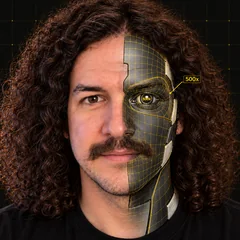
YouTuber Sirio Berati says an editor would charge at least $500 for the motion graphics in one video. He says he built 300 templates in his own style in two weeks with nothing but his Claude subscription, and on October 27, 2026, he put 74 animated explainer boards on GitHub for free. In my view, the boards are the easy part now. Making them look like one creator, every week, is the part worth paying for.
What happened
The video. On October 27, 2026, Sirio published "How to Make YouTube Explainer Videos With Claude (Not Higgsfield)," a 23-minute walkthrough. In the description he writes that "every animated board in this video was made with Claude" and lays out nine steps, from getting inspired and finding your style in Claude Design to using Claude Code to "transcribe, sync every board to your voice and export the MP4." The $500 figure and the 300 templates are his numbers; I couldn't check them independently. His thumbnail says "300 free motion graphics," but the repo ships 74 boards.
The repo. YouTube-AI-Motion-Graphics went up the same day under the MIT license. It contains:
- 74 animated boards: 1920 × 1080 HTML pages animated mostly with CSS (a handful also use GSAP), covering bar and line charts, Venn diagrams, timelines, heatmaps, price cards, node graphs, terminals, a "myth vs fact" card and more.
- Every prompt from the video, in order, from your references folder to the final export.
- Three Claude skills:
explainer-board-brief(what goes on a board),explainer-board-system(how it looks and moves, with a board catalog tagged in the words you'd say) andboard-sync(sync to your voice and render). - A checks file (
checks.md) where every correction becomes a DO or a DON'T that the AI checks each frame against.
How it works
A board is a plain HTML page that plays in any browser, with everything at a fixed pixel position and the bottom-right corner left empty for your camera. The pipeline from the README:
- Transcribe your video with Whisper, word by word.
- Plan which lines need a board.
- Sync each board, so every element appears on the word that names it.
- Export. The README says the export "never screen-records":
tools/export.pyopens each board in Chrome, moves the animation to the exact time of each frame, screenshots it, and joins the frames with your voice using FFmpeg.
You need Chrome, Python 3.10+, Playwright and FFmpeg, plus faster-whisper for transcripts.
What it costs
The repo is free. Claude Design is included on every Claude plan, Free included. Claude Code isn't on the Free plan: Pro is $20 a month, or $17 a month billed yearly ($200 up front).
The catch
The boards ship in a plain "Clean minimal" starter theme on purpose. The README says it's "so you don't end up looking like everyone else," and tells you to change the colours, fonts and shapes yourself. They're also built for widescreen, talking-head videos: 16:9, with a grey camera placeholder in the bottom-right corner. And the repo doubles as a funnel for the creator's TEIN AI waitlist and his free community, which is fair for free work, but worth knowing.
Try it
- Clone the repo and run the setup from the README's quick start:
git clone https://github.com/sirioberati/YouTube-AI-Motion-Graphics.git cd YouTube-AI-Motion-Graphics bash skills/board-sync/setup.sh cp -R skills/* ~/.claude/skills/ bash tools/setup-check.sh - Open
boards/index.htmlin Chrome to see every board play. - Export one board to check your setup:
python tools/export.py boards/D44Line.html --seconds 8 -o out/line.mp4. - Ask Claude Code to restyle one board in your own colours and fonts, and add anything you fix to
checks.md.
Here's how you get paid
My opinion, no income guaranteed: sell a board kit to one YouTuber at a time.
- The brand kit. Restyle the boards in their colours and fonts, set the camera box to where they sit in frame, and keep the boards that fit their topics.
- The monthly sync. They send each video, you transcribe it, pick the boards, sync them to their voice and send back the export.
Sirio's own video covers more ways to make money with it, from your first client to selling templates, a SaaS or an MCP. The repo is MIT (copyright TEIN AI), so restyling and shipping it for a client is allowed, as long as you keep the copyright and license notice. Your edge is taste and turnaround.
Daily email
Get each breakdown in your inbox.
One email each evening, right after the Short goes live: the AI tool it covers, the full write-up with sources, and how to get paid for it. Free, and you can unsubscribe anytime.
Sources
- Sirio Berati, YouTube-AI-Motion-Graphics on GitHub (created October 27, 2026): https://github.com/sirioberati/YouTube-AI-Motion-Graphics
- Sirio Berati, "How to Make YouTube Explainer Videos With Claude (Not Higgsfield)" on YouTube (October 27, 2026): https://www.youtube.com/watch?v=mV74tDW0mc0
- Claude pricing: https://claude.com/pricing