All postsSHORT3 min read
Local AI Battle on My Mac vs Claude: The Blind Scoreboard
Three local Qwen builds on a 128 GB MacBook Pro against Claude Sonnet 5.5 and Opus 5.5, one script job, judged blind out of 50. Plus a 233 GB DeepSeek final boss.
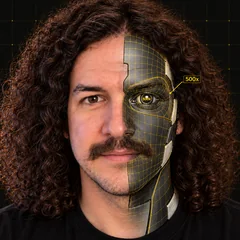
I gave five AIs the same job and had a different company's AI grade the results blind. Three of them ran on my own MacBook Pro. Two were Claude, in the cloud. Here's the scoreboard, plus the final boss: a 233 GB model on a Mac with 128 GB of memory.
The test
The job was a real one from my own Shorts pipeline: write a ~120-word Short script from a GitHub Changelog post (November 2, 2026: pull_request_target blocked by default on December 2), using only facts from the source, with a hook, no emojis, no income claims and a fixed closing line.
The contenders, run on November 4, 2026:
- Local, on my MacBook Pro (M5 Max, 128 GB), in LM Studio: Qwen3.8-27B in three builds: GGUF Q4_K_M (16.5 GB), MLX 4-bit (16.1 GB) and MLX 8-bit (29.5 GB).
- Cloud: Claude Sonnet 5.5 and Claude Opus 5.5, on my Claude subscription.
The judge was Codex, a different company's AI. I didn't score anything. It saw five scripts labelled A to E with no model names, and scored each one out of 50 on hook, accuracy, clarity, rule compliance and whether it would ship it.
The scoreboard
| Model | Where | Score (/50) |
|---|---|---|
| Claude Sonnet 5.5 | Cloud | 45 |
| Claude Opus 5.5 | Cloud | 44 |
| Qwen3.8-27B GGUF Q4_K_M | My Mac | 38 |
| Qwen3.8-27B MLX 4-bit | My Mac | 35 |
| Qwen3.8-27B MLX 8-bit | My Mac | 27 |
Read it as a snapshot. Each model wrote one script and one judge scored it, so the order among the three Qwen builds is noise, and Sonnet's top score is only one point ahead of Opus. The clearest gap: both Claudes scored above every local build.
Speed on the script job, with the load stated (load average about 10-18, thinking off): the GGUF build ran at about 32-37 tokens a second, MLX 4-bit about 28-30 and MLX 8-bit about 17. On the same script job under my normal working load (load average about 75-95), the MLX 4-bit build dropped to about 16-17.
The final boss
DeepSeek V4.1 Flash, in the smallest build I could find (IQ1_S), is a 233 GB file. My Mac has 128 GB of memory. LM Studio refused to load it. So I ran it in llama.cpp, memory-mapped from the SSD, under my normal working load (1-minute load average about 86 at the start). After a 77-second load, it answered the prompt "Write one sentence about Mondays." with one complete sentence, 65 seconds from prompt to last word: 23 tokens written at 0.42 tokens a second. At its measured reading speed, a 6,000-token prompt would take over 2 hours just to read. That last number is arithmetic. I didn't run it.
The full test, with speed, memory and every build I tried, is Episode 07 on the channel.
Try it yourself
- Install LM Studio from lmstudio.ai. The Free plan runs local models on your machine, with llama.cpp and MLX under the hood.
- Download a model that fits your memory with room to spare. On my 128 GB Mac, the 16 GB Qwen3.8-27B builds were the comfortable ones.
- Give it one task you actually do at work, and give the same task to the cloud model you already pay for.
- Paste both answers into one document with the names removed, and ask a colleague (or a different AI) to score them.
- Write down the scores and the speed. That's your own scoreboard.
Here's how you get paid
My opinion, no income guaranteed: some offices can't send client files to the cloud. Law firms, clinics and accountants are the obvious ones. Set up a local AI on their own machine, then run a blind test on their real tasks before they rely on it, so they can see roughly how far the local model is from the cloud one on their own work.
- Setup. Install the runtime, pick a model that fits their hardware, and lock it down.
- Blind test. Same tasks for local and cloud, names hidden, scored by someone who doesn't know which is which.
- Report. A one-page scoreboard: where local is good enough, and where it isn't.
Daily email
Get each breakdown in your inbox.
One email each evening, right after the Short goes live: the AI tool it covers, the full write-up with sources, and how to get paid for it. Free, and you can unsubscribe anytime.
Sources
- My bench and blind-test files for Episode 07 (results table, the judge's full output and the sealed key, raw server logs), November 4, 2026
- LM Studio: https://lmstudio.ai/ and pricing: https://lmstudio.ai/pricing
- llama.cpp: https://github.com/ggml-org/llama.cpp
- The task's source article, GitHub Changelog (November 2, 2026): https://github.blog/changelog/2026-11-02-pull_request_target-blocked-by-default-december-2