All postsSHORT3 min read
Claude Code Can Use Your Real iPhone. Here's the Catch
Phone Use connects AI agents to an unmodified iPhone through AirPlay and Bluetooth. How it works, the Mac bridge and the access you're giving it.
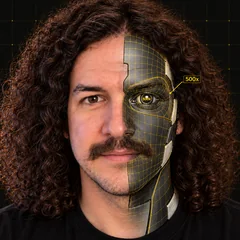
Claude Code can use your real iPhone through Phone Use, using Bluetooth mouse and keyboard input. Phone Use is free, open source and new this week. It uses an unmodified iPhone, with no jailbreak or cable connected to the iPhone.
What it is
Phone Use lets you or an AI agent see and operate your iPhone from your computer. Claude Code, Codex and other agents can read the screen, tap, type and swipe with your permission. Aleksey Smolenchuk built it and released it under the MIT license.
The repo was created on Nov 7, 2026. Its first release came on Nov 10. It had 636 GitHub stars at the Nov 13, 2026 check at 04:30 UTC. It's alpha software.
How it works
The screen comes in through AirPlay Screen Mirroring, the same way you'd send it to an Apple TV. Input goes out over Bluetooth, directly from the PC's own Bluetooth on Linux or through a bridge board. Commands reach the board over Wi-Fi, and the board sends Bluetooth mouse and keyboard input to the iPhone. The Mac app requires the board.
Text recognition runs on your computer so the agent can read the screen. Phone Use provides a command-line tool and an MCP server for agents. The iPhone companion app handles pairing and approvals.
You can watch in a live browser mirror at localhost:8777. While an agent acts, the page shows where it's pointing. You can also use the phone yourself from the computer: click to tap, drag to swipe, scroll with your mouse wheel and type on your keyboard.
What you need
Phone Use is free under the MIT license, and the iPhone companion app is free. The iPhone app requires iOS 17.2 or later.
- On Linux, there's a Flatpak app. Linux can use the computer's own Bluetooth with or without the bridge.
- On a Mac, you need macOS 15 or later and the bridge. That's an original ESP32 LilyGO T-Display board flashed with Phone Use firmware. Nothing needs soldering. The site's ready-made bridge is listed as coming soon.
- On Windows, you need to run from source for now.
Your iPhone and computer must share the same Wi-Fi. Install and pair the iPhone app, then start Screen Mirroring from the phone's Control Center. You can't start mirroring from the computer. The README provides a Connect Claude Code option in the desktop app.
The catch and the access you're giving an agent
It's alpha software, and the Mac app needs a board you flash yourself. The source docs report testing with an iPhone 17 Pro on iOS 26 and Arch Linux. That doesn't establish support for every iPhone model.
Approval is a setting. Always allows immediate control, After a delay allows control when the countdown expires unless you cancel, and Ask every time waits for Allow. After a delay is the default for new installs. The v0.1.3 release notes say released copies don't send Live Activity or agent notifications to the iPhone yet; newer source docs describe those features. Per the companion docs, requests in After a delay and Ask every time also show on the computer through a desktop notification and the browser mirror. Agents are refused until the iPhone app is paired, and you can take over anytime. Take over stops the agent's next action. In release v0.1.3, saved passcodes and unlocking with them are turned off, so agents ask you to unlock the phone.
A cloud agent can send what it reads to its AI provider. That's an inference from the privacy policy: the agent can read and use your phone within the controls you set, and its provider's terms and privacy policy govern what it does with that information. Local text recognition alone doesn't mean the agent's work stays local.
The maker's privacy policy says Phone Use has no accounts, analytics, advertising or tracking, and describes sending push notification tokens to the developer's relay.
If you use the developer Bluetooth mode on Linux, its setup needs sudo and runs a root daemon. It also turns off the Bluetooth input plugin, so the computer stops accepting Bluetooth keyboards and mice for itself. The packaged app avoids that with the bridge.
The builder angle (my opinion, no income guaranteed)
I'd sell real-iPhone test runs to small app teams. The maker already lists real-device QA and screenshots among its use cases.
I'd have the agent walk through signup on a real iPhone, then review the run and hand back a bug report with screenshots. I'd agree on the allowed screens and actions with the team before giving an agent control.
That's a proposed service. The deliverable would be a reviewed report of what happened during signup.
Daily email
Get each breakdown in your inbox.
One email each evening, right after the Short goes live: the AI tool it covers, the full write-up with sources, and how to get paid for it. Free, and you can unsubscribe anytime.