All postsSHORT3 min read
Vercel UI SDK: AI Agents Use Controls Without Screenshots
How Vercel Labs' UI SDK combines reusable behaviors with an agent bridge, what its settings benchmark measured, and where the beta stops.
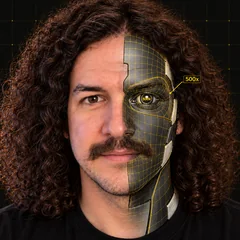
Your AI agent can work your app's controls without screenshots. Vercel Labs' UI SDK exposes component state and actions through an agent bridge. That bridge has a specific boundary: the controls need to be built with UI SDK.
What launched
UI SDK is a library from Vercel Labs for agents to build and use interfaces. Its first React beta package was published Nov 12, 2026. It's free and open source under Apache-2.0, and it's still in beta.
The library has two connected jobs. It gives a coding agent reusable behaviors to build components, then gives an agent tools to operate those components.
Behaviors are the pieces of a component
Behaviors handle interactions such as keyboard navigation, focus, selection, popups, drag and drop, and screen reader support. UI SDK provides 50+ behaviors.
Vercel's example combines createPopup, createSelection and createTypeahead. Those pieces cover opening the popup, choosing an item and finding an option by typing. An agent can combine them into a Select, a combobox or an autocomplete.
Components work in React, Vue, Svelte, Solid and Web Components. The UI SDK skill teaches a coding agent the behaviors and how they fit together. Vercel says the skill helps agents write less code and get more of it right. Its testing kit helps check keyboard behavior, focus and ARIA in the finished component.
The agent bridge and Vercel's benchmark
The bridge lets an agent read component state and call component actions directly. agent.snapshot() lists components, their state and their available actions. For a project-name input, the docs show the label Project name and the actions setValue and clear.
The agent can then call agent.act(...) to change the input through its API. The app can approve or refuse requested actions, and change callbacks can cancel a change. The docs recommend a person confirm changes that matter.
Vercel tested one project-settings task: rename a project, update members and notification settings, then save. These are Vercel's own results, reported as medians from 3 runs per approach using Sonnet through Claude Code:
| Measure | Browser tools | UI SDK bridge |
|---|---|---|
| Time per run | 41 seconds | 16 seconds |
| Tool calls per run | 16 | 5 |
| Model cost per run, USD | $0.073 | $0.032 |
Both approaches used the same task and system prompt, with instructions for their available tools. The browser-tools approach used a screen built with another component library. The bridge approach used the same screen built with UI SDK. Every run completed the task.
Time and cost came from Claude Code's reports. This is one settings task with a small run count. It doesn't establish the same result across other apps, models or tasks.
The catch
UI SDK is in beta, and its APIs may change.
The bridge connects to UI SDK components. Your own components built with definePrimitive can join it too. An unrelated website doesn't become controllable through this bridge merely because an agent can open it.
The library is free and open source under Apache-2.0. Your agent's model usage is on you.
The builder angle (my opinion, no income guaranteed)
I'd offer a focused rebuild of a client's settings or admin screens with UI SDK. The proposed deliverable is a screen their AI assistant can fill and save through the bridge, with a person approving changes that matter.
I'd make that approval step part of the deliverable: show the proposed change, ask the person to confirm it, then allow or refuse the action. UI SDK provides the permission mechanism. Packaging the rebuild as a service is my suggestion. No income is guaranteed.
How to try it
Start with the UI SDK homepage and the agent docs. The README gives these commands for React:
npm install @ui-sdk/react @ui-sdk/core
Then add the agent skill:
npx skills add vercel-labs/ui --skill ui-sdk
Ask your coding agent to build a component from behaviors. Follow the bridge setup guide to expose its state and actions. Add a person-confirmed permission step before changes that matter.
Daily email
Get each breakdown in your inbox.
One email each evening, right after the Short goes live: the AI tool it covers, the full write-up with sources, and how to get paid for it. Free, and you can unsubscribe anytime.