All postsSHORT4 min read
VibeVideoAgent Lets Claude Code Check Its Rendered Videos
KlingAI researchers released 11 MCP tools and a production skill for Claude Code and Codex. How the Gemini checking loop works, the paper's results and the catch.
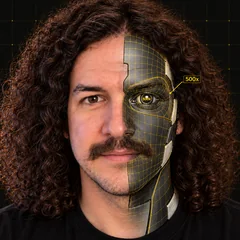
A backpack stuck in the hand, and the code threw no error. How did this AI agent catch it? KlingAI researchers' VibeVideoAgent checks what a viewer can see or hear, then lets the coding agent revise its source and check again. The backpack example comes from one recorded run in their paper. We haven't run it.
KlingAI Research, the research team named on the paper, released VibeVideoAgent as MIT-licensed code on GitHub. The paper went up on arXiv November 25, 2026; the GitHub code and release v0.2.1 followed November 26, 2026.
The problem: a clean render can still look broken
A render script can finish without an error and still produce a broken video. The README's examples are "a backpack held in the hand instead of worn, a camera orbiting away from the subject, captions colliding, narration two seconds behind the chart it describes."
Those are things you discover by watching and listening to the output. A successful program exit doesn't check them.
How the loop works
VibeVideoAgent is 11 MCP tools plus a production skill for Claude Code and Codex. The coding agent writes rendering code. A Gemini model handles perception in short separate calls outside the coding session, returning compact, timestamped findings.
The agent turns the brief into quoted requirements, renders a small preview, checks what a viewer can actually see or hear, edits its own source, and re-checks the same moment on the new render. It also verifies the encoded delivery.
The README's tool table describes the pieces:
| Tool | Job |
|---|---|
plan_production |
Start with the brief, quoted requirements, ordered beats and a representative preview. |
describe_media |
Index sampled scenes, layouts and sounds. |
locate_event |
Search for an event in the media. |
inspect_segment |
Inspect an interval or pixel crop. |
transcribe_speech |
Transcribe speech with timestamps. |
check_requirement |
Check a planned requirement against the rendered media; missing modalities yield uncertain. |
compare_media |
Compare with a reference or re-check an earlier finding on a new render. |
probe_media |
Run local stream, decode, repeated-frame, seam, loudness and silence checks. |
register_artifact |
Snapshot the video, editable files and render command. |
submit_delivery |
Decode the snapshot and check requested technical specs. |
status |
Recover the plan, findings and delivery state. |
The README's default budget per task is 40 semantic calls, 8,192 sampled frames and 7,200 seconds of audio.
The README lists HTML/Canvas, WebGL/Three.js, React/Remotion, Python with Pillow, Cairo or Manim, SVG, and FFmpeg/TTS audio pipelines. The tools inspect rendered media; VibeVideoAgent itself doesn't generate pixels.
The backpack run
In one recorded run in the paper, Figure 4 shows the check flagging a "backpack held down in hand" in v1.mp4. The agent patched its rendering code so the bag sits on the shoulder. The re-check on v2.mp4 marked it resolved.
The figure names check_requirement for the failed check and compare_media for the re-check after the patch. That's the hook's payoff: the failure was visible in the rendered scene even though the render exited cleanly.
What the paper reports
On the authors' VibeVideoBench benchmark, the paper reports the overall audio-visual quality score (L3) rising for all three coding models it tested. Scores below are out of 5; the comparison is native agent versus agent with VibeVideoAgent.
| Coding model | Native agent, paper reports | With tools, paper reports |
|---|---|---|
| Claude Opus 5.5 | 4.03 | 4.43 |
| GPT-6 Astra | 4.03 | 4.27 |
| Claude Sonnet 5.5 | 3.97 | 4.10 |
The paper reports the biggest gain in audio quality and audio-video sync: +0.56 for Opus 5.5, from 3.89 to 4.45.
The paper also reports drops in some measures. Opus 5.5's technical-spec score slipped from 99.92% to 98.59%. Sonnet 5.5's spec score dropped from 99.18% to 95.75%, and its rubric score dropped from 96.36% to 94.61%.
The catch
VibeVideoBench contains 239 tasks in 12 production categories. It comes from an earlier paper sharing several authors with this one: a benchmark from the same research group. No independent replication appears in the sources we read.
Two Gemini models grade each video: Gemini 3.8 Flash and Gemini 4 Argon. The paper notes that Flash is both the perception model and one of the judges. Under Argon alone, the README reports Opus 5.5 improving L2 by +0.80 percentage points and L3 by +0.33.
The code is MIT-licensed and free to download, but the semantic checking tools need your own Gemini API key and a Gemini model that accepts video, audio and structured output. You also need Claude Code, Codex CLI or another MCP client, Python 3.11+ and FFmpeg. Gemini API calls may incur charges depending on the selected model, tier and usage. Planning, probe_media, snapshots and delivery checks run offline.
Linux is fully supported, macOS is supported, and Windows is not supported; use WSL2.
The README says only the selected clip, still or audio excerpt, plus the inspection question, goes to the configured Gemini endpoint. It says full source files, code and credentials aren't uploaded.
The paper says perception uses bounded frame rates and selected intervals. Glitches shorter than a frame, or windows never inspected, can be missed. Unobserved spans are reported as uncertain.
We read the code, README and paper; we haven't run it.
How I'd turn this into a service (my opinion, no income guaranteed)
I'd sell short code-built videos to software startups: product walkthroughs, data stories and paper explainers. The deliverable would be an MP4 plus the editable source, with every requirement from their brief checked on the render before they see it.
I'd use the brief as the review checklist, inspect the actual render and re-check edits. The sampling limits still apply: checking a requirement can miss a defect. Keep that limit clear when handing over the video and source. No income guaranteed.
Daily email
Get each breakdown in your inbox.
One email each evening, right after the Short goes live: the AI tool it covers, the full write-up with sources, and how to get paid for it. Free, and you can unsubscribe anytime.